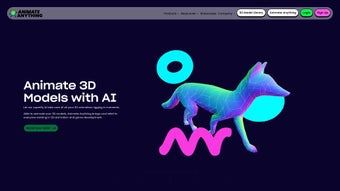

Download Animation Rigging – AI‑Powered 3D Animation & Rigging Tool
Overview
Animation Rigging is a web‑based platform that brings artificial intelligence to the heart of 3D animation and rigging. By harnessing machine‑learning algorithms, the service automates the traditionally labor‑intensive steps of building skeletons, skinning meshes, and creating motion sequences. Whether you’re a game developer, a VR/AR designer, or a metaverse creator, Animation Rigging gives you instant access to an unlimited library of ready‑to‑use 3D models.
The platform’s primary goal is to shrink production pipelines, allowing artists to shift their focus from repetitive technical work to storytelling, character performance, and creative iteration. In addition to the core AI engine, the solution provides comprehensive documentation, a clear product roadmap, and a vibrant community where users can share tips, showcase projects, and collaborate on challenges. Subscription‑based pricing and flexible membership tiers make it a cost‑effective choice for freelancers, indie studios, and large enterprises alike.
Key Features & Capabilities
- AI‑Driven Auto‑Rigging: Upload any mesh and let the neural network generate a fully weighted skeleton in seconds.
- Unlimited Model Library: Access thousands of high‑quality characters, props, and environment assets optimized for games, AR/VR, and the metaverse.
- Smart Animation Generator: Create walk cycles, facial expressions, and combat moves automatically, then fine‑tune with intuitive sliders.
- Cross‑Platform Web Interface: No installation required; run the tool from any modern browser on Windows, macOS, Linux, Android, or iOS.
- Version Control & Cloud Storage: All projects are saved securely in the cloud, with built‑in version history and one‑click rollback.
- Extensive Documentation & Tutorials: Step‑by‑step guides, video walkthroughs, and API references help users get up to speed quickly.
- Community Showcase & Marketplace: Publish finished rigs, discover inspiration from top creators, and even sell premium assets.
- Customizable Export Pipelines: Export rigs and animations to FBX, GLTF, Unity, Unreal Engine, and other popular formats.
- Regular Updates & Roadmap Transparency: New AI models, additional asset categories, and performance improvements are rolled out monthly.
Installation, Usage & Compatibility
Getting Started – No Download Required
Animation Rigging is delivered as a SaaS (Software‑as‑a‑Service) solution, meaning you never have to install bulky executables or manage license keys locally. Simply visit animationrigging.com, create a free account, and you’ll be greeted by a clean dashboard. The onboarding wizard walks you through the creation of your first project, from selecting a base model to choosing an AI rigging preset.
Step‑by‑Step Workflow
- Choose a Model: Use the built‑in asset browser or upload your own OBJ/FBX file.
- Apply Auto‑Rig: Click “Auto‑Rig” and watch the AI generate a skeleton, weight maps, and control rig in real time.
- Refine Animation: Pick a preset animation (walk, run, idle) or draw custom keyframes using the timeline editor.
- Export & Integrate: Export to the format required by your engine (FBX for Unity, GLTF for web, etc.).
- Save to Cloud: Projects are automatically stored in your personal workspace, accessible from any device.
Supported Operating Systems
Because the platform runs in the browser, it works on all major operating systems, including Windows 10/11, macOS Monterey and later, Linux distributions with modern browsers, Android 11+, and iOS 14+. The only requirement is a stable internet connection and a recent version of Chrome, Edge, Firefox, or Safari.
Security & Updates
All data transmission is encrypted with TLS 1.3, and the backend servers are hosted in ISO‑27001‑certified data centers. Updates to the AI engine, asset library, and UI are deployed automatically, so you always have the latest features without manual patches.
Pros, Cons & Frequently Asked Questions
Pros
- Massive time savings – rigging that once took hours now finishes in minutes.
- Zero‑install, cross‑platform access eliminates compatibility headaches.
- Extensive asset library reduces the need for third‑party purchases.
- Cloud‑based storage and version control protect work from accidental loss.
- Transparent roadmap keeps users informed about upcoming AI improvements.
Cons
- Reliant on an internet connection; offline work is not possible.
- Subscription model may be less attractive to one‑off hobbyists.
- Advanced custom rigging still requires manual tweaking for niche characters.
Frequently Asked Questions
Can I use Animation Rigging with Unity or Unreal Engine?
Yes. The platform exports rigs and animations in FBX and GLTF formats, both of which are natively supported by Unity and Unreal Engine. After exporting, simply drag the files into your project’s Assets folder and assign the rig to your character mesh.
Is there a free trial or a limited‑feature version?
Animation Rigging offers a 14‑day free trial with access to all core features, including unlimited model uploads and AI auto‑rigging. After the trial, you can choose between a monthly or annual subscription, each providing different levels of cloud storage and priority support.
How secure is my data stored on the cloud?
All project files are encrypted at rest using AES‑256, and data in transit uses TLS 1.3. The service complies with GDPR and CCPA regulations, and regular security audits are performed to ensure compliance with industry standards.
Conclusion & Call to Action
Animation Rigging stands out as a forward‑thinking solution that blends AI technology with a user‑centric web interface. For professionals who need to produce high‑quality rigs quickly, the platform delivers a compelling mix of speed, flexibility, and collaborative features. While the reliance on an internet connection may be a drawback for some, the benefits of automated rigging, a growing asset library, and seamless integration with major game engines make it a worthwhile investment. Ready to accelerate your 3D workflow? Start your free trial today and experience how AI can transform your animation pipeline.



.png)



